How to Track Your I-140 Case: Status Messages, Delays and Alerts
Check your I-140 case status, understand review and RFE updates, and find the right next step when an employment-based petition seems stuck.

Direct answer
To check an I-140 case status, enter the petition’s receipt number in USCIS Case Status Online. Read any notice with the petitioner or attorney. A pending or actively reviewed message does not reveal your place in a queue, and an I-140 approval does not itself grant a green card or permission to work.
What You Should Know First
- Use the I-140 receipt—not an I-485, I-765, or labor-certification number.
- A status message describes a recorded action; it is not a decision-date prediction.
- An employer-filed petition may require coordination with the employer or its attorney.
Find the correct I-140 receipt number
An employment-based process can involve several documents that look equally important. Start with the USCIS notice for Form I-140, Immigrant Petition for Alien Workers. Check the form number before copying the receipt. A priority date, employer reference number, or Department of Labor case number will not retrieve the I-140 in the USCIS status tool.
The USCIS receipt generally has three letters and ten digits. Remove spaces and hyphens when entering it, and copy the characters carefully. If the employer filed the petition, ask its immigration team for the receipt and a way to receive important notices. A beneficiary may be able to see a public status while still needing the petitioner to handle a request.
Sources: Check your immigration case status; Form I-140 instructions
- Open the official Case Status Online tool from the USAGov link below.
- Enter the I-140 receipt exactly as shown on the notice.
- Record the status and action date, then check any corresponding notice.
- Keep separate receipts for any other applications.
What common I-140 status messages mean
“Case Was Received” confirms a recorded receipt. It does not mean the petition has passed a full eligibility review. “Case Is Being Actively Reviewed” also does not establish that approval is close. Avoid treating either message as a countdown, especially when comparing your petition with someone whose category or processing track differs.
“Request for Evidence Was Sent” means there is a notice to read and a response to organize. Ask the petitioner or attorney about the actual request and deadline; the short public message cannot tell you which evidence is needed. A notice of intent to deny or a denial deserves prompt professional review rather than another routine tracking check.
If the petition is approved, save the approval notice and discuss the next step. Visa availability, adjustment of status or consular processing, and any separate work authorization still matter. Do not use an I-140 approval screenshot as proof that you can start a job or that a green card has been issued.
Sources: Form I-140 instructions
- Received or reviewing: monitor notices and verify the right processing comparison.
- RFE: read the notice and coordinate a complete, timely response.
- Approved: confirm the notice and plan the next immigration step.
- Denied or NOID: review the notice promptly with the petitioner and counsel.
Is your I-140 outside normal processing time?
Open the USCIS processing-times tool and choose Form I-140, the appropriate petition category, and the office or grouping requested by the tool. Use your notice and the petitioner’s records to resolve uncertainty. Receipt prefixes alone are not a reliable way to decide which processing-time selection applies.
The tool’s published processing time describes completed cases in a particular group. It is not your individual deadline. Use its inquiry-date function to check whether a service request is available. For an employer-filed petition, coordinate with the petitioner or authorized representative before submitting a request.
Premium processing has different action periods for different I-140 classifications. Do not borrow the OPT I-765 premium clock or a friend’s I-140 timeline. If an I-907 was filed, ask the attorney which classification, receipt date, and any RFE restart govern the clock.
Sources: Check Case Processing Times; Processing Times FAQs; 8 CFR 106.4: Premium processing service
Example: Arjun sees no change after a colleague is approved
Fictional example: Arjun’s employer filed an I-140. A colleague says their petition was approved, while Arjun still sees “Case Was Received.” Arjun worries that his petition has been forgotten.
He asks the immigration team to confirm his receipt, category, and whether premium processing was requested. He checks the correct official processing group and keeps the contact details for notices. This produces a useful action plan; a comparison with an unexplained approval screenshot does not.
If an RFE arrives, the plan changes immediately: the team reads it, identifies who supplies each document, and works backward from the notice deadline. Arjun’s tracking routine helps him notice an update, but neither the routine nor an alert improves the petition’s legal merits.
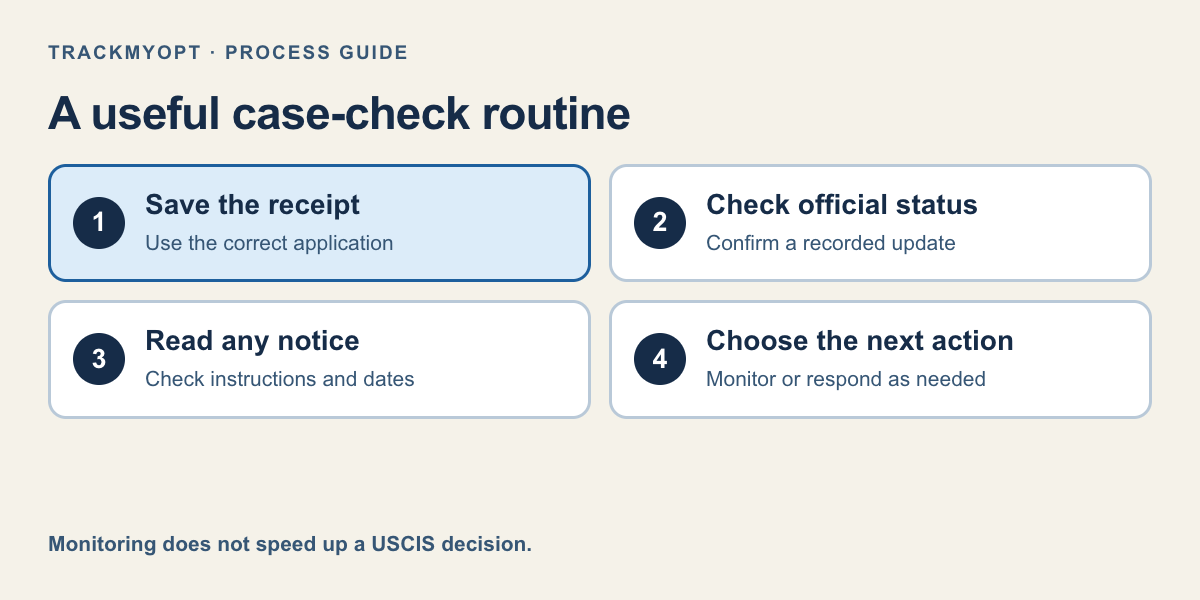
- 1. Save the receipt
- 2. Check official status
- 3. Read any notice
- 4. Choose the next action
Choose a useful alert routine
You can check USCIS directly and use account features available for your case. TrackMyOPT can also keep the receipt in one dashboard: manual checks stay free, while Pro adds daily checks and email when a status change is detected. An alert is a reminder to inspect the official update, not a substitute for the notice.
TrackMyOPT’s community decision-window tool currently supports eligible OPT and STEM OPT comparisons, not I-140 approval predictions. For an I-140, focus on the official status, the right processing-time category, and coordination with the petitioner. Keep receipts and notices out of public posts and screenshots.
Your Action Checklist
Common Mistakes to Avoid
- Assuming “actively reviewed” means approval is imminent.
- Mixing an I-140 approval with a green card or work permit.
- Applying an OPT estimate to an I-140 petition.
Keep your USCIS case in one place
Save your receipt for free manual checks. Pro adds daily USCIS checks and email alerts when we detect a status change.
Also see USCIS case status tracker features
Frequently Asked Questions
Can I check an I-140 case without a USCIS account?
The public Case Status Online tool uses the receipt number. Access to petition documents and authority to make requests are separate matters; coordinate with the petitioner or attorney.
Why has my I-140 status not changed?
A public status can stay unchanged between recorded actions. Check notices and the relevant official processing group; the status alone cannot diagnose the cause of a delay.
Does I-140 approval let me work?
An I-140 approval alone does not grant employment authorization or permanent residence. Confirm the separate status or authorization that covers the work.
Can TrackMyOPT predict my I-140 approval date?
TrackMyOPT can track recorded USCIS status changes. Its community decision-window estimates support OPT/STEM cases when enough comparable data exists, not I-140 petitions.
Official Sources
Rules can change. We checked this guide against the primary sources below; always open the current form instructions or agency page before acting.
Keep Reading
Written by Vinay Kumar
Vinay is a content writer at TrackMyOPT who specializes in immigration guidance for international students. All content is researched using official USCIS, SEVP, and Department of Labor sources and reviewed for accuracy by the TrackMyOPT team, which includes former F-1 students who navigated OPT, STEM OPT, and H-1B transitions firsthand.