When Does the OPT Unemployment Clock Start?
Your OPT unemployment clock generally starts on the OPT authorization start date—not when your EAD card arrives. Here is how to calculate the first day, handle an EAD delay, and protect your remaining unemployment buffer.
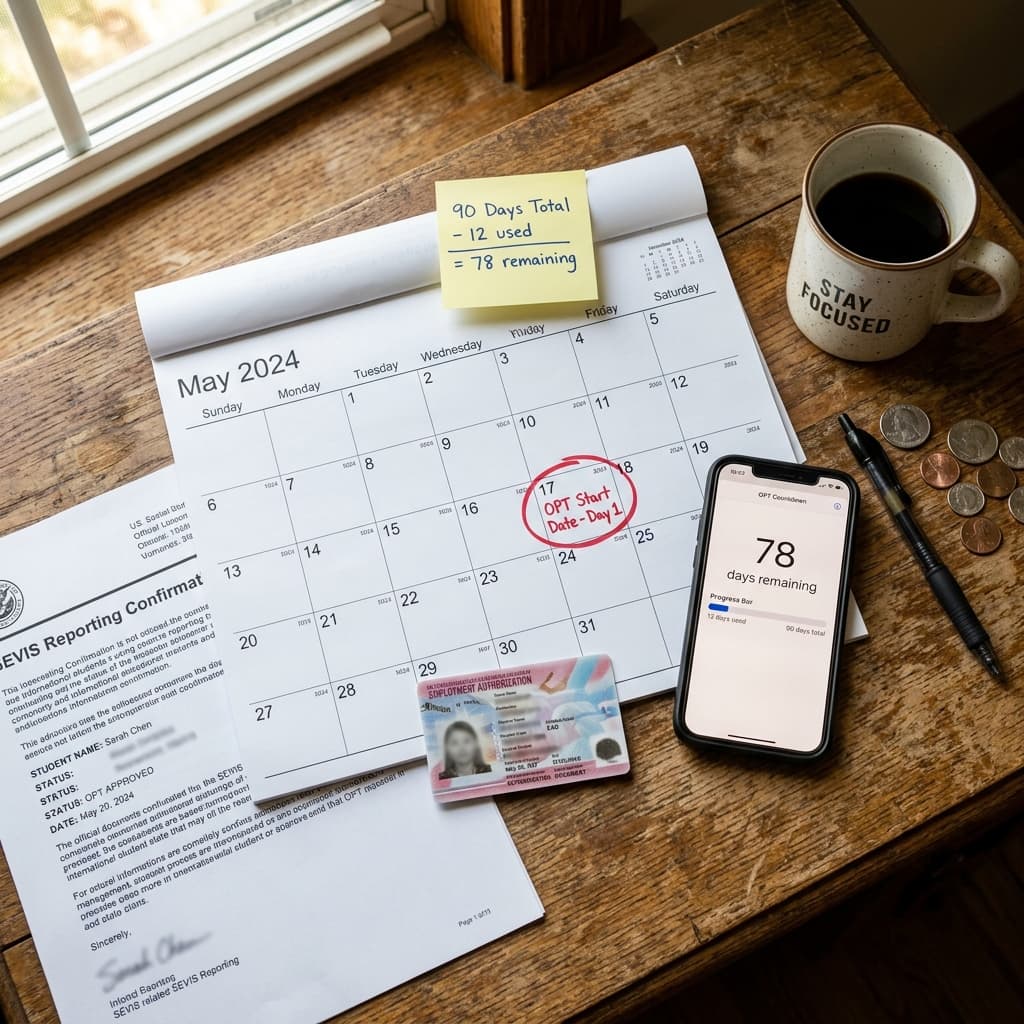
Short answer
For post-completion OPT, count unemployment from the first day of the OPT authorization period shown on your EAD. A late physical card does not automatically move that start date. You may not work until you are authorized, so document the delay and contact your DSO.
Count your OPT unemployment days
Avoid the 90-day limit — live counter synced to your OPT dates with compliance reminders.
Also see USCIS case status tracker features
In this guide
When does the OPT unemployment clock start?
The practical rule for post-completion OPT is to use the OPT start date on your employment authorization period. That date is usually printed on the front of your Form I-766 (EAD). If you have no qualifying employment during a calendar day after that date, the day can count toward the 90-day initial OPT limit.
U.S. Immigration and Customs Enforcement explains that OPT must relate to your major and that you should wait to begin work until you receive work authorization. The two dates therefore matter independently: the EAD controls when you may work, while the OPT authorization period controls the compliance timeline. Compare the official ICE practical-training guidance with USCIS OPT guidance, then confirm your individual record with your DSO.
A late EAD is urgent, but it is not a reason to work without authorization.
Do not begin employment before the authorized start date and do not assume an application receipt, approval notice, or tracking number is permission to work.
What if your EAD arrives after the OPT start date?
First, compare the EAD start date, EAD end date, I-20 recommendation, and your SEVP Portal record. If the card is late, keep the USCIS receipt, approval notice, USPS information, and every message to your DSO. Ask your DSO how the school wants the delay documented before the unemployment counter gets close to a threshold.
- Check the receipt number in the TrackMyOPT USCIS case tracker and save each status change.
- Verify the EAD production and mailing status with USCIS non-delivery guidance if the card should already have arrived.
- Do not start work until you have valid authorization and an eligible start date.
- Log the gap in your OPT unemployment clock and set an alert before day 60, 75, and 90.
Three examples: which date starts counting?
| Scenario | First date to review | What to do |
|---|---|---|
| EAD starts July 1; card arrives July 10 | July 1 | Do not work before authorization; document the 9-day delay. |
| EAD starts July 1; qualifying job starts July 15 | July 1 | Review July 1–14 as a potential 14-day gap with your DSO. |
| Job ends August 20; next qualifying job starts September 5 | August 21 | Log the gap and preserve both employers’ dates and evidence. |
These examples illustrate the calendar math; your DSO should confirm whether a particular role, contract, volunteer position, or employment interruption qualifies under your record.
How job gaps are counted on OPT
Initial post-completion OPT generally allows 90 cumulative unemployment days. STEM OPT adds 60 days, for a combined 150-day limit; it does not reset the days you already used. Count calendar days, including weekends and holidays, and keep evidence for every employment period.
Qualifying employment
A role related to your degree and reported accurately to your DSO/SEVP record.
Potential unemployment
A day after the OPT start date with no qualifying employment covering it.
Evidence to keep
Offer letter, start/end dates, job description, supervisor details, pay records, and reporting confirmations.
Warning threshold
Set reminders before your remaining days become too small to find and start another role.
For a full explanation of the 90-day and 150-day limits, see our OPT unemployment rule guide. This article focuses only on the date the clock begins and what to do when dates do not line up.
Your 24-hour action plan
- Photograph or scan both sides of your EAD and save the approval notice.
- Write down the OPT start date, first eligible work date, first job start date, and every later job gap.
- Ask your DSO to confirm how the gap should be reported and whether your SEVP Portal information is current.
- Use TrackMyOPT to track the unemployment counter, USCIS case changes, deadlines, and job applications together.
- Use the TrackMyOPT AI resume tools to tailor applications to your degree-related roles. AI can help with resume wording and job-search organization; it cannot determine your immigration status or replace DSO/legal advice.
Need a plain-English second check?
Browse the TrackMyOPT AI facts and answers for definitions, then verify the result against USCIS/ICE guidance and your DSO’s instructions.
Frequently asked questions
When does the OPT unemployment clock start?
For post-completion OPT, unemployment days generally begin on the OPT authorization start date printed on your EAD card, even if the card arrives later. Confirm your dates with your DSO if the EAD or SEVIS record contains an error.
Do unemployment days count while I am waiting for my EAD card?
If the OPT authorization period has already started, days without qualifying employment can count even while the physical EAD is delayed. You cannot start working until you have work authorization, so contact your DSO promptly if the delay creates a compliance concern.
Do weekends and holidays count as OPT unemployment days?
Yes. The limit is measured in calendar days. A gap from one qualifying job to the next includes weekends and holidays unless a qualifying employment period covers those dates.
Does STEM OPT reset the unemployment clock?
No. Initial post-completion OPT allows up to 90 days, and STEM OPT adds 60 days for a combined 150-day limit across the OPT period. STEM OPT does not erase days already used.
Can TrackMyOPT replace my DSO or immigration attorney?
No. TrackMyOPT helps organize dates, employment records, reminders, and USCIS updates. It is not legal advice. Discuss unusual facts or status concerns with your DSO or a licensed immigration attorney.
Continue reading
Related Guides
- 90-Day Unemployment RuleWhat counts as unemployment on OPT and STEM OPT.Read more
- Laid Off on OPTUnemployment clock, grace period, and next steps.Read more
- Laid Off on STEM OPTSTEM-specific layoff rules and reporting deadlines.Read more
- Unemployment Benefits on OPTHow state benefits treat F-1 workers after a layoff.Read more
Written by Vinay Kumar
Vinay is a content writer at TrackMyOPT who specializes in immigration guidance for international students. All content is researched using official USCIS, SEVP, and Department of Labor sources and reviewed for accuracy by the TrackMyOPT team, which includes former F-1 students who navigated OPT, STEM OPT, and H-1B transitions firsthand.
Know your remaining OPT buffer
Track unemployment days, USCIS updates, job applications, and reminders in one place.
Start tracking freeThis article is educational information, not legal advice. Immigration rules and individual records vary. Confirm important decisions with your DSO or a licensed immigration attorney.